
If you own a small business and feel invisible online, you’re not alone. Millions of small business owners pour their hearts into their work, but still struggle to show up on Google.
The good news? You don’t need a massive marketing budget to fix that. Small business SEO is one of the most powerful (and affordable) ways to get found by people already searching for what you offer.
This guide breaks everything down in simple, actionable steps — no technical jargon, no fluff. Just a clear roadmap to help you grow your business online in 2026 and beyond.
What Is Small Business SEO (And Why Should You Care)?
Small business SEO (Search Engine Optimization) is the process of making your website and online presence more visible on search engines like Google — so the right customers can find you at the right time.
Think of it this way: when someone types “best plumber in Austin” or “affordable yoga classes near me” into Google, they’re already looking for a solution. SEO helps your business show up in those results instead of your competitors.
And unlike paid ads that stop working the moment you stop spending, SEO builds momentum over time. The effort you put in today can keep driving traffic and leads for months — even years.
Small Business SEO vs. Local SEO — What’s the Difference?
These two terms are related, but they’re not the same thing.
Small business SEO is the broader strategy. It covers everything from keyword research and content creation to website optimization — whether your business operates online, locally, or both.
Local SEO is a specific part of that strategy focused on helping your business show up in search results for searches tied to a physical location — things like “coffee shop near me” or “dentist in Chicago.” According to Google, nearly half of all searches have local intent, so if you have a brick-and-mortar location, local SEO is non-negotiable.
Most small businesses need both. The good news is that a lot of the work overlaps.
Why SEO Is the Best Investment for Small Businesses in 2026
Small business owners often have limited time and budget, which makes SEO especially valuable.
People are already searching for you. SEO makes sure they find you.
Beyond that, here’s why it makes sense in 2026 specifically:
- It’s cost-effective.
You don’t need to spend money to rank organically. Time and consistency go a long way.
- It builds trust.
People trust organic search results more than ads. Showing up on page one of Google signals credibility.
- It compounds over time.
Unlike social media posts that disappear in hours, a well-optimized blog post or service page can bring in traffic for years.
- Voice and AI search are growing.
In 2026, more people are using voice assistants and AI-powered search tools. SEO-optimized content is the foundation for showing up in both.
- Your competitors are doing it.
If you’re not investing in SEO, the business down the street probably is.
Step 1 — Do Your Keyword Research the Right Way
Before you write a single word of content or tweak your website, you need to understand what your potential customers are actually searching for. That’s what keyword research is all about.
How to Find Low-Competition Keywords
As a small business, you’re not going to outrank Amazon or major national brands for broad, highly competitive keywords right away. But that’s okay — because you don’t need to.
Instead, focus on long-tail keywords — more specific phrases that have lower competition but very clear intent. For example:
- Instead of targeting “bakery,” → try “custom birthday cakes in Houston.”
- Instead of “accounting services,” → try “affordable bookkeeping for freelancers.”
These longer phrases attract fewer searches, but the people searching them are much closer to making a decision.
A good way to find these is to simply start typing in Google’s search bar and look at the autocomplete suggestions. Those are real searches from real people. Also, scroll to the bottom of the results page — Google’s “People also ask” and “Related searches” sections are goldmines for keyword ideas.
Free Tools You Can Use Today
You don’t need to pay for expensive SEO software to get started. Here are a few free options:
- Google Search Console — shows you what keywords your site already ranks for (free, highly recommended)
- Google Keyword Planner — originally for ads, but useful for finding search volume data
- Ubersuggest — free tier offers keyword ideas and basic difficulty scores
- AnswerThePublic — great for finding question-based keywords your audience is asking
Step 2 — Optimize Your Website Pages (On-Page SEO)
Once you know which keywords to target, the next step is to make sure your website pages are set up to rank for them. This is called on-page SEO.
Where to Place Your Keywords
You don’t need to stuff keywords into every sentence — in fact, that can hurt you. Google is smart enough to understand context. Instead, make sure your primary keyword appears naturally in these key spots:
- Page title (H1 heading)
- First 100 words of the page
- At least one subheading (H2 or H3)
- URL slug (e.g., yoursite.com/small-business-seo-tips)
- Image alt text
- Meta title and description
For example, if you’re a florist targeting “wedding flowers in Denver,” those exact words (or very close variations) should appear in all of the above places on your wedding flowers service page.
Writing Title Tags and Meta Descriptions That Get Clicks
Your title tag is the blue clickable link that appears in Google search results. Your meta description is the short text below it. Together, they act like a mini ad for your page.
A strong title tag: includes your primary keyword, is under 60 characters, and has a clear benefit or hook — for example, “Affordable Wedding Flowers in Denver | Free Consultations.”
A strong meta description is 120–155 characters, includes your keyword naturally, and ends with a call to action like “Book your free consult today.”
Neither of these directly affects your ranking, but they hugely impact whether someone actually clicks on your result. And clicks matter.
Step 3 — Set Up and Optimize Your Google Business Profile
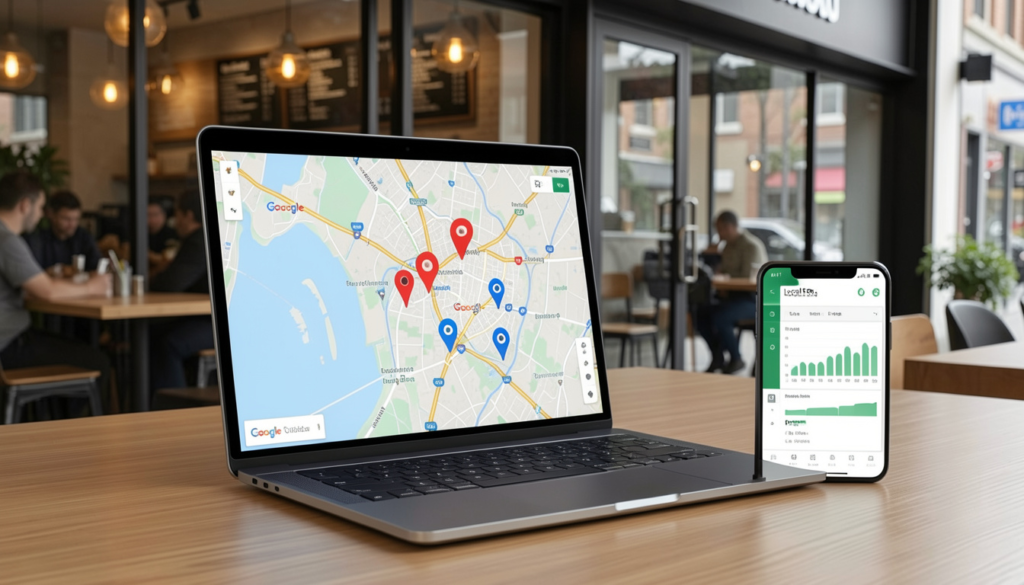
If you have a physical location or serve customers in a specific area, Google Business Profile (GBP) is one of the most important SEO assets you have — and it’s completely free.
Your GBP listing is what shows up in Google Maps and in the local “pack” of results — the three businesses that appear with a map at the top of local search results. Getting into that pack can be a game-changer for foot traffic and phone calls.
Here’s how to make the most of it:
- Claim and verify your listing at business.google.com if you haven’t already
- Complete every field — name, address, phone, hours, website, and business category
- Add photos regularly — businesses with photos get significantly more direction requests and clicks
- Collect and respond to reviews — reviews are a major local ranking factor. Ask happy customers to leave one. Always respond, even to negative ones.
- Post updates — use GBP posts to share offers, events, or news. It signals to Google that your business is active.
- Use keywords in your business description — naturally, not forced
Step 4 — Create Helpful Content That Ranks
One of the most sustainable SEO strategies for small businesses is content marketing — publishing helpful, relevant content that answers your audience’s questions.
Why does this work? Because every blog post, guide, or FAQ page you publish is a new opportunity to rank for a keyword and bring in fresh traffic.
What Kind of Content Works Best for Small Businesses?
You don’t need to post every day. Consistency and quality beat quantity every time. Focus on:
- “How to” guides — e.g., ‘How to choose a wedding photographer”
- Comparison posts — e.g., “DIY pest control vs. professional pest control, which is worth it?”
- Local content — e.g., “Best dog-friendly trails in [Your City]”
- FAQ pages — answer common questions your customers ask every day.
- Case studies or before/after posts — show your work and build trust at the same time
The key is to write for your reader first. If your content genuinely helps someone, Google will reward you for it. This is what Google calls “helpful content” — a major ranking signal since their 2023 algorithm updates.
Step 5 — Build Your Local Citations and Backlinks
Backlinks — links from other websites pointing to yours — are one of the top ranking factors in Google’s algorithm. But for small businesses, you don’t need hundreds of them. A handful of high-quality, relevant links can make a meaningful difference.
Here’s how to start:
- Get listed in local directories — Yelp, Yellow Pages, Angi, Houzz (home services), TripAdvisor (hospitality), and industry-specific directories. These are called “citations” and help establish your business’s legitimacy in local search.
- Keep your NAP consistent — Make sure your Name, Address, and Phone (NAP) is consistent across every listing. Even small inconsistencies can confuse Google.
- Reach out to local media — Reach out to local blogs or news sites — offer to write a guest post or be featured as a local business spotlight
- Partner with complementary businesses — a wedding photographer could get a link from a local venue or florist’s website
- Join your Chamber of Commerce — List in your local Chamber of Commerce — many offer free or low-cost directory listings that carry real SEO value
Step 6 — Don’t Ignore Technical SEO (The Easy Basics)
Technical SEO sounds intimidating, but for most small businesses, you only need to focus on a few key things:
Site speed matters — a lot. Google has confirmed that page speed is a ranking factor, especially on mobile. Use Google’s free PageSpeed Insights tool to check your site. If your site takes more than 3 seconds to load, you’re likely losing visitors before they even see your content.
Make sure your site is mobile-friendly. More than 60% of all searches happen on mobile devices. Google uses “mobile-first indexing,” meaning it primarily looks at your mobile site to determine rankings. Test yours using Google’s Mobile-Friendly Test tool.
Get HTTPS. If your website URL starts with “http://” instead of “https://,” you need an SSL certificate. Most web hosting providers offer them for free. This is a basic trust signal for both users and search engines.
Fix broken links. Use a free tool like Screaming Frog (crawls up to 500 pages for free) to find and fix any broken links on your site. Broken links hurt both SEO and user experience.
Small SEO Growth Trends in 2026 — What’s Changed?
SEO in 2026 isn’t radically different from a few years ago — the fundamentals still apply. But a few important shifts are worth knowing about.
Google’s “helpful content” focus is stronger than ever. Thin, generic content doesn’t rank. Google increasingly rewards content that demonstrates real expertise, first-hand experience, and genuine usefulness. This is what the SEO industry calls E-E-A-T — Experience, Expertise, Authoritativeness, and Trustworthiness. For small businesses, this is actually a huge advantage — you have real experience in your field that big generic websites simply don’t have.
Reviews and reputation signals are also growing in importance. Online reviews don’t just influence customers — they influence rankings. A steady stream of recent, authentic reviews on Google, Yelp, and industry platforms is becoming a more significant local SEO factor every year.
AI Search and What It Means for Small Businesses
You’ve probably noticed that Google now sometimes shows an AI-generated summary at the top of search results (called AI Overviews). This has created some anxiety among website owners — understandably so.
But here’s what matters most: the businesses that get cited in AI summaries are usually those with well-structured, trustworthy, and comprehensive content. So the best thing you can do is focus on writing genuinely helpful, clear, and accurate content. That’s good SEO and good AI visibility.
Voice search is also still growing. People ask voice assistants full questions like “Where can I find a tax consultant open on Saturdays near me?” Structuring some of your content in a Q&A format — like an FAQ page — helps you show up for these kinds of searches.
Final Thoughts — Your Small Business SEO Action Plan
Small business SEO can feel overwhelming when you’re looking at the full picture. But here’s the truth: you don’t have to do everything at once.
If you’re new to SEO, don’t worry — every small improvement helps. Most small business owners start simple, and that’s completely fine.
A smart small business SEO strategy starts with simple and consistent improvements.
Start with the basics and build from there. Here’s a simple priority order:
- Set up Google Search Console and Google Business Profile (free, high impact)
- Do keyword research and identify 5–10 target keywords for your core service pages
- Optimize your existing website pages with those keywords
- Create one helpful blog post per month targeting a question your customers ask
- Get listed in key local directories and make sure your NAP is consistent
- Check your site speed and mobile-friendliness and fix any major issues
Even doing just the first three consistently will put you ahead of most small business competitors. SEO is a marathon, not a sprint — but every step you take compounds over time.
If you’re consistent and patient, organic search traffic can become one of the most reliable, cost-effective sources of new customers you’ll ever have.
The sooner you start SEO, the faster your business can build long-term online visibility and trust. Start small, stay consistent, and focus on helping your audience.
Even small SEO improvements today can create meaningful business growth over time.
Frequently Asked Questions (FAQ)
1. How long does SEO take to work for a small business?
Most small businesses start seeing noticeable improvements within 3–6 months of consistent SEO work. Competitive industries may take longer, but even small improvements in rankings can lead to meaningful increases in traffic and leads.
2. Can I do SEO myself, or do I need to hire someone?
Absolutely — you can handle the basics yourself, especially in the early stages. Many small business owners successfully manage their own SEO. If your time is limited or results plateau, hiring an SEO freelancer for specific tasks (like technical audits or link building) can be a smart investment.
3. How much does small business SEO cost?
DIY SEO can cost almost nothing beyond your time. If you hire help, freelance SEO services typically range from $500 to $2,000 per month, depending on scope. Local SEO-focused agencies for small businesses often start around $300–$800 per month.
4. What’s the difference between SEO and Google Ads?
Google Ads (PPC) puts your business at the top of search results immediately, but it stops when you stop paying. SEO builds organic rankings that last long-term without ongoing ad spend. Most businesses benefit from using both, but SEO typically offers better ROI over time.
5. Do I need a blog for SEO?
Not necessarily — but it helps significantly. A blog gives you a way to target informational keywords, attract new visitors, and demonstrate expertise in your field. Even one quality post per month can make a meaningful difference over time.
6. How important are reviews for local SEO?
Very important. Google uses review quantity, recency, and overall rating as local ranking signals. A consistent flow of positive reviews on your Google Business Profile can meaningfully improve your visibility in local search results.
7. Is social media part of SEO?
Social media activity doesn’t directly affect your Google rankings. However, social platforms help distribute your content, build brand awareness, and can indirectly lead to more backlinks and branded searches — both of which do affect SEO.